
How I Automated My Entire DevOps Pipeline with GitHub Actions
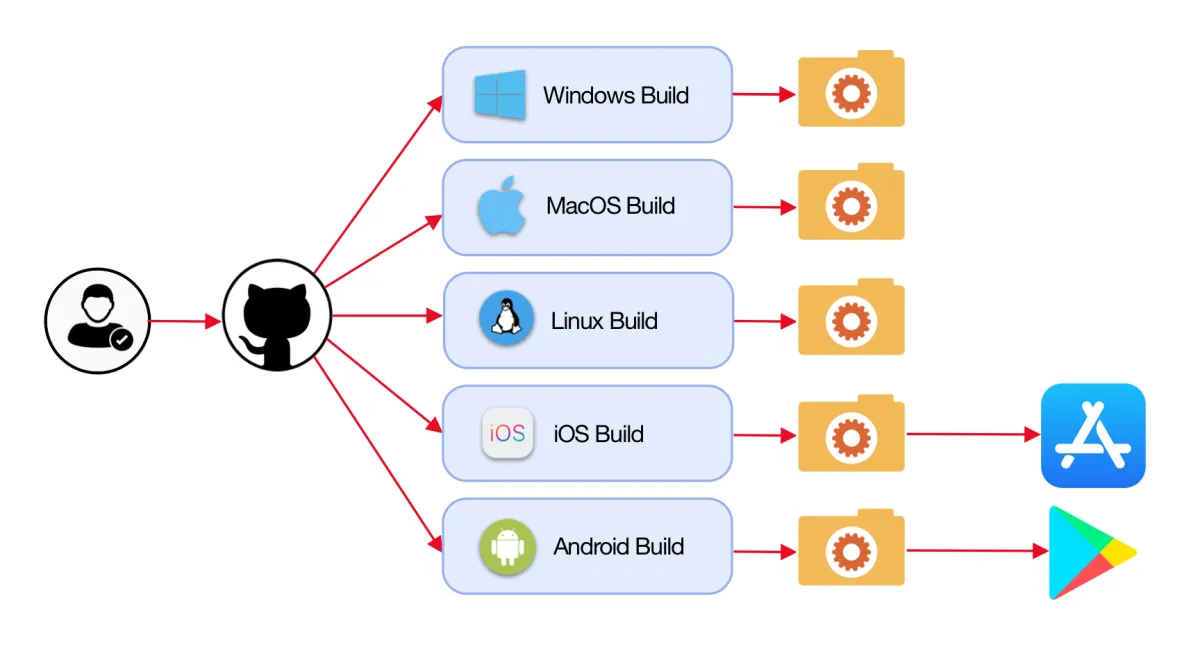
How I Automated My Entire DevOps Pipeline with GitHub Actions
Our deployment process was a mess. Manual steps. Forgotten commands. Deployments that took 2 hours.
I spent a month automating everything with GitHub Actions. Now deployments take 8 minutes and happen 20 times a day.
Here's how I did it.
The Problem
Our old process:
- Run tests locally
- Build Docker image
- Push to registry
- SSH into server
- Pull image
- Run database migrations
- Restart services
- Check logs
- Hope nothing broke
Each step had room for error. We deployed once a week because it was painful.
Why GitHub Actions
I considered Jenkins, GitLab CI, and CircleCI. GitHub Actions won because:
- Already using GitHub
- Free for public repos, cheap for private
- Great marketplace of actions
- Easy to get started
The New Pipeline
Our workflow now:
- Push to branch
- GitHub Actions runs automatically
- Tests, builds, deploys
- Slack notification when done
Zero manual steps.
Implementation
Step 1: Test Automation
First workflow: run tests on every push.
name: Tests
on: [push, pull_request]

jobs:
  test:
    runs-on: ubuntu-latest
    steps:
      - uses: actions/checkout@v3
      - uses: actions/setup-node@v3
        with:
          node-version: '18'
      - run: npm ci
      - run: npm test
Simple. Effective. Catches bugs before they reach production.
Step 2: Build and Push Docker Images
Next: automate Docker builds.
- name: Build and push
  uses: docker/build-push-action@v4
  with:
    push: true
    tags: myapp:${{ github.sha }}
    cache-from: type=gha
    cache-to: type=gha,mode=max
The cache makes builds fast. First build: 5 minutes. Subsequent builds: 30 seconds.
Step 3: Database Migrations
Migrations need to run before deployment.
- name: Run migrations
  run: |
    kubectl run migration \
      --image=myapp:${{ github.sha }} \
      --restart=Never \
      --command -- npm run migrate
If migrations fail, deployment stops. No broken production database.
Step 4: Deployment
We deploy to Kubernetes.
- name: Deploy
  run: |
    kubectl set image deployment/myapp \
      app=myapp:${{ github.sha }}
    kubectl rollout status deployment/myapp
Kubernetes handles rolling updates. Zero downtime.
Step 5: Notifications
Slack notification when deployment completes.
- name: Notify Slack
  uses: slackapi/slack-github-action@v1
  with:
    payload: |
      {
        "text": "Deployed ${{ github.sha }} to production"
      }
The team knows immediately when code ships.
Advanced Patterns
Environment-Specific Workflows
Different workflows for staging and production.
on:
  push:
    branches:
      - main  # production
      - develop  # staging
Pushing to develop deploys to staging. Pushing to main deploys to production.
Manual Approvals
Production deployments require approval.
jobs:
  deploy:
    environment:
      name: production
    steps:
      - name: Deploy
        run: ./deploy.sh
GitHub pauses the workflow. Someone must approve before it continues.
Secrets Management
Secrets stored in GitHub, injected at runtime.
- name: Deploy
  env:
    DATABASE_URL: ${{ secrets.DATABASE_URL }}
    API_KEY: ${{ secrets.API_KEY }}
  run: ./deploy.sh
No secrets in code. Ever.
Matrix Builds
Test against multiple Node versions.
strategy:
  matrix:
    node-version: [16, 18, 20]
steps:
  - uses: actions/setup-node@v3
    with:
      node-version: ${{ matrix.node-version }}
Ensures compatibility across versions.
Lessons Learned
1. Start Simple
I tried to automate everything at once. It was overwhelming.
Better approach: automate one step at a time. Get it working. Move to the next.
2. Use Marketplace Actions
Don't reinvent the wheel. The GitHub Actions marketplace has actions for everything:
- Docker builds
- AWS deployments
- Slack notifications
- Security scanning
3. Cache Everything
Caching makes workflows fast. Cache:
- npm/pip dependencies
- Docker layers
- Build artifacts
4. Fail Fast
Run fast checks first. If linting fails, don't run tests. If tests fail, don't build.
5. Monitor Costs
GitHub Actions isn't free for private repos. We hit the limit and got charged.
Now we monitor usage and optimize slow workflows.
Our Full Workflow
- Lint: 30 seconds
- Test: 2 minutes
- Build: 1 minute (with cache)
- Push: 30 seconds
- Migrate: 1 minute
- Deploy: 3 minutes
- Notify: 5 seconds
Total: 8 minutes from push to production.
The Impact
Before Automation
- Deployments: Once a week
- Time per deployment: 2 hours
- Deployment failures: 30%
- Team stress: High
After Automation
- Deployments: 20+ per day
- Time per deployment: 8 minutes
- Deployment failures: 2%
- Team stress: Low
Tips for Getting Started
- Start with tests: Automate testing first
- Use examples: GitHub's workflow examples are great
- Test in branches: Don't test automation in production
- Read the logs: GitHub Actions logs are detailed
- Iterate: Your first workflow won't be perfect
Common Pitfalls
- Secrets in logs: Be careful with
echocommands - Long workflows: Break into multiple jobs
- No caching: Workflows will be slow
- Ignoring failures: Fix broken workflows immediately
The Bottom Line
Automating our DevOps pipeline was the best investment we made. The team ships faster. Deployments are reliable. Stress is down.
GitHub Actions made it easy. If you're still deploying manually, start automating today.